
 EN
EN
iPhone Battery Replacement Troubleshooting: Not Charging, Error Messages, and Fixes
Completing a battery replacement for iPhone series devices should restore your phone to full power performance, but many users discover unexpected problems immediately after the swap. Whether the device refuses to charge, displays a persistent error message, or reports an incorrect battery percentage, these issues can be frustrating and confusing. Understanding why these problems occur and how to resolve them is essential for anyone performing or commissioning a battery replacement for iPhone series models at any level of technical experience.
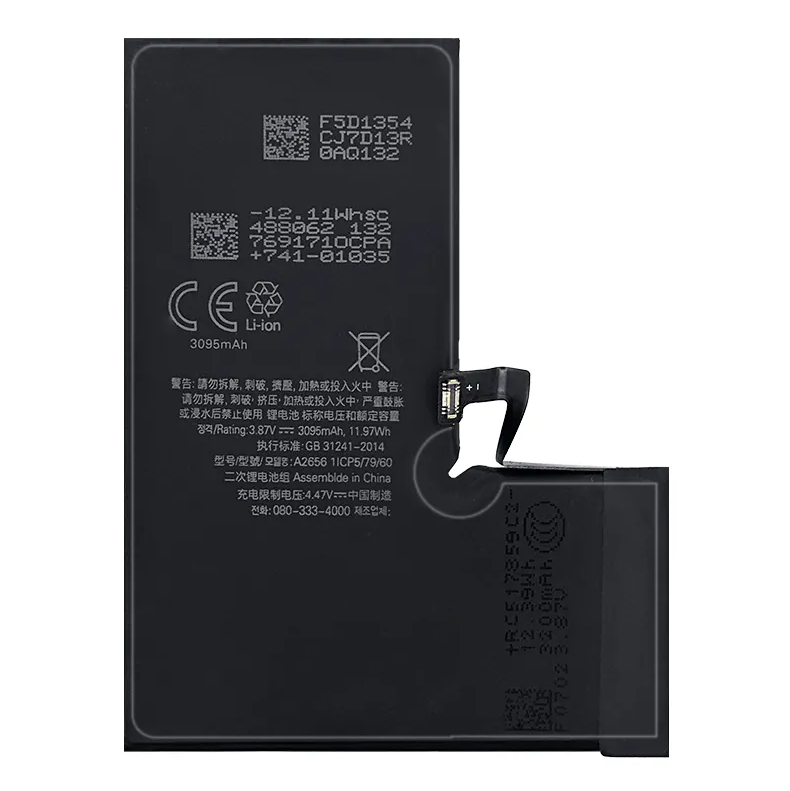
This guide addresses the most common post-replacement failures and error conditions tied to a battery replacement for iPhone series phones, walking through root causes, diagnostic steps, and actionable solutions. Whether you are a repair technician or a careful DIY user, the troubleshooting logic here applies broadly across modern iPhone generations, from iPhone 11 through iPhone 15 and beyond. A successful battery replacement for iPhone series hardware depends not only on the quality of the cell itself but also on the installation process and software calibration that follows.
Common Post-Replacement Charging Failures
Why the iPhone Will Not Charge After Replacement
One of the most reported issues following a battery replacement for iPhone series models is that the device simply stops accepting a charge. This can happen for several reasons. The battery connector may not be fully seated on the logic board, which is a surprisingly common oversight even among experienced technicians. Even a connector that appears visually secure may have a pin slightly out of alignment, blocking the charging circuit entirely.
Another cause is accidental damage to the flex cable during the battery replacement for iPhone series procedure. The battery connector flex and the nearby display cable connectors sit in close proximity, and applying too much pressure during reassembly can cause micro-tears. After identifying a loose or damaged connector, reseating or replacing the flex cable typically restores normal charging behavior without needing to repeat the full battery replacement for iPhone series process.
Slow Charging or Intermittent Charging Behavior
Slow or intermittent charging after a battery replacement for iPhone series device often points to a compatibility mismatch between the new battery cell and the device's power management IC. Genuine or certified replacement cells are engineered to communicate correctly with Apple's charging management hardware. Using a low-quality or uncertified cell during a battery replacement for iPhone series repair may result in the device defaulting to a reduced charging rate as a protective response.
Debris or moisture inside the Lightning or USB-C port can also cause this symptom. Before assuming the battery replacement for iPhone series was performed incorrectly, inspect and clean the charging port thoroughly. If the issue persists across multiple cables and adapters, the fault is more likely internal and related to the replacement cell or connector seating.
Error Messages After Battery Replacement
The 'Important Battery Message' Warning
Modern iPhones running iOS 14 and later display an 'Important Battery Message' when a battery replacement for iPhone series is performed using a non-Apple-verified component. This message appears in the Battery section of Settings and states that the battery is unable to be verified. It does not disable the phone or prevent charging, but it does disable the Battery Health percentage reading. This warning is a software-level authentication check, not necessarily an indication that the replacement battery is defective.
For many users, this message is an acceptable outcome of a third-party battery replacement for iPhone series repair. However, if you want to restore the Battery Health display, you must use a battery that has been paired to the device using Apple's proprietary system configuration tool, which is only available to Apple Stores and Apple Authorized Service Providers. Reprogramming the battery data during a battery replacement for iPhone series is not possible through standard consumer software tools.
Battery Percentage Stuck or Jumping Unexpectedly
If the battery percentage freezes, jumps erratically, or does not reflect actual charge level after a battery replacement for iPhone series, the most likely cause is that the battery has not yet been calibrated to the device. A new cell needs a full charge and discharge cycle to allow the iOS battery management system to accurately map its capacity. Performing this calibration is a critical final step in every battery replacement for iPhone series procedure and is frequently skipped.
To calibrate properly after a battery replacement for iPhone series, charge the device fully to 100 percent without interruption, then use the phone normally until it powers off automatically from a low charge. Recharge to 100 percent again without removing the cable early. After this cycle, the battery percentage reporting should stabilize and reflect actual remaining capacity reliably.
Diagnosing and Fixing Deeper Issues
Software Resets and iOS Diagnostics
After completing a battery replacement for iPhone series and noticing abnormal behavior, a hard reset is often the fastest first diagnostic step. Hold the volume up button briefly, then the volume down button, then press and hold the side button until the Apple logo appears. This clears temporary system states that may cause the software to misread the new battery during a battery replacement for iPhone series installation session.
If abnormal behavior continues, connect the device to a Mac or PC running the latest version of Finder or iTunes. Check for system alerts during the sync session, as iOS may flag battery communication errors that do not appear on the device screen directly. A battery replacement for iPhone series that involved any accidental firmware disruption may require a device restore to resolve persistent software-level charging anomalies.
When the Replacement Battery Itself Is Faulty
Occasionally, the root cause of post-repair issues is a defective replacement cell. A battery replacement for iPhone series that uses a cell with internal shorts, incorrect voltage ratings, or manufacturing defects will produce erratic charging behavior no matter how cleanly the installation was done. If all connector and software checks pass without resolving the issue, replacing the battery again with a quality-certified cell is the correct next step. Sourcing a reliable battery replacement for iPhone series from a verified supplier significantly reduces the risk of cell-level defects affecting the repair outcome.
FAQ
Is it normal to see a battery warning after replacing an iPhone battery?
Yes, it is common to see a battery verification warning after a battery replacement for iPhone series using third-party components. This is an iOS software authentication feature and does not indicate a safety risk. The phone will continue to charge and operate normally, though Battery Health data may not display until an Apple-verified cell is used.
How long does battery calibration take after a battery replacement for iPhone series?
Calibration after a battery replacement for iPhone series typically takes one to two full charge and discharge cycles, which can span one to two days of normal use. During this period, percentage readings may seem slightly inaccurate, but they should stabilize once the iOS power management system has fully mapped the new cell's capacity range.
Can a bad battery replacement damage the iPhone's charging port or logic board?
A battery replacement for iPhone series that involves incorrect voltage cells or improperly seated connectors can, in rare cases, stress the charging circuit. However, most post-replacement charging failures are connector or software issues rather than hardware damage. Inspecting the connector seating and performing a soft reset resolves the majority of cases without any component damage to the logic board or port.
